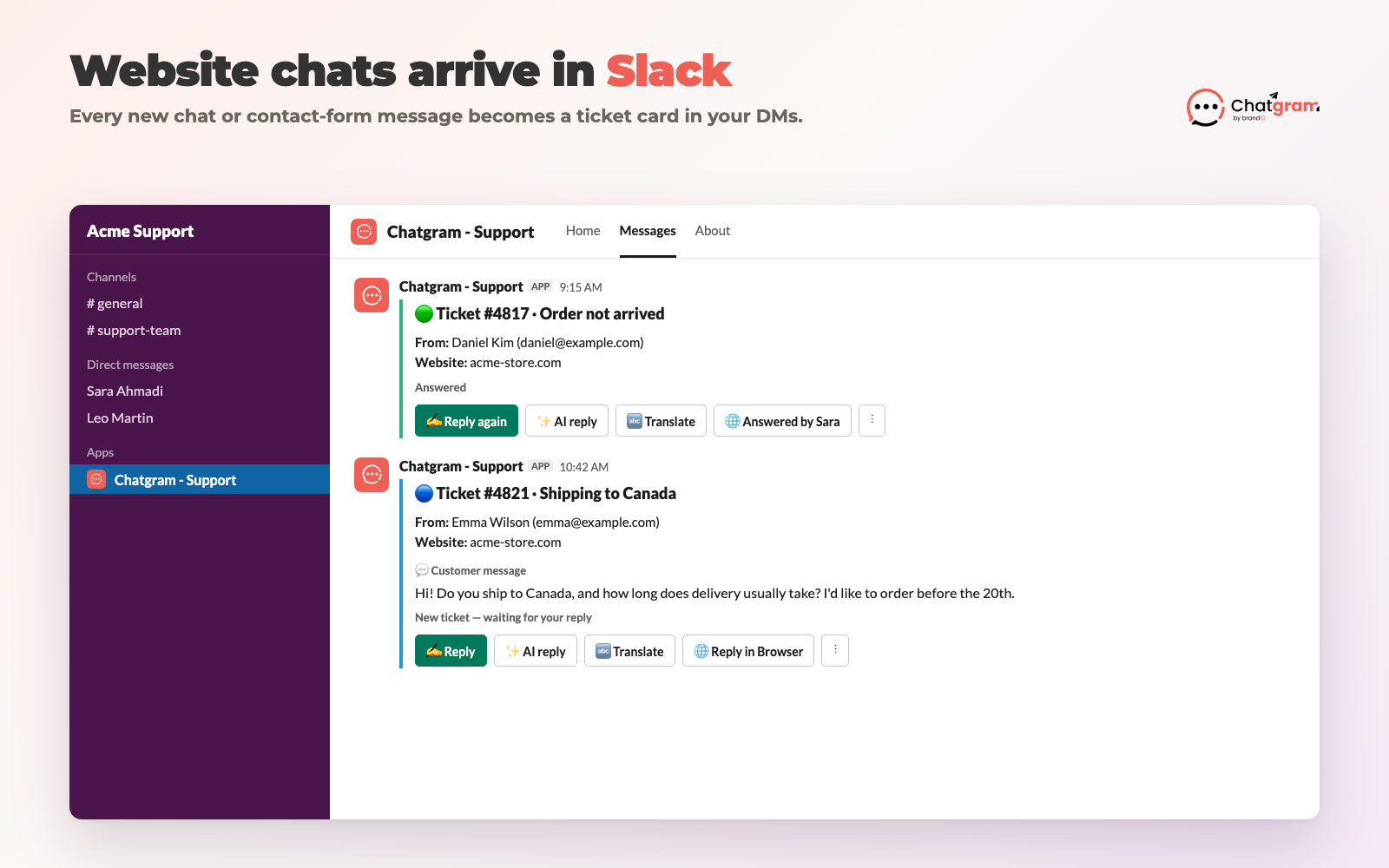
Chatgram adds a live chat and contact form to your website. With the Chatgram - Support app, every new conversation arrives in Slack as a ticket card. Reply, translate, ask the AI for a draft, or close the ticket, all without leaving Slack. The visitor gets your answer on your website or by email.
ທີ່ Add to Slack button is public: no login is needed to install. You connect a free Chatgram account afterwards, inside Slack. By installing you agree to our ນະໂຍບາຍຄວາມເປັນສ່ວນຕົວ.
A new ticket as it arrives in Slack
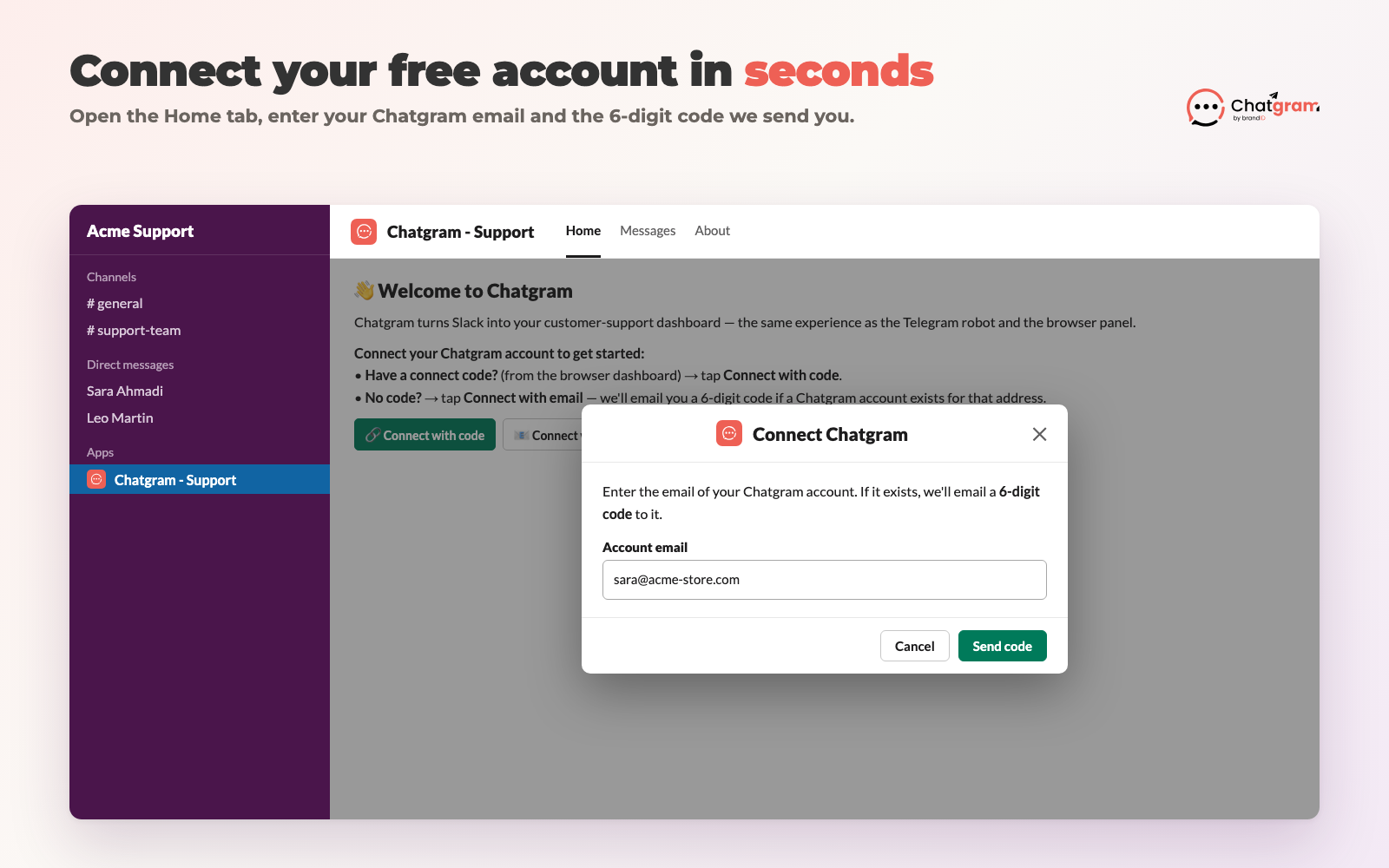
You need permission to install apps in your Slack workspace. Everything else is free and takes about two minutes.
/chatgram help in Slack any time to see every command./chatgram link <code>). Team members you invite as agents join with /chatgram join <invite-code>.Each team member who connects their Chatgram account gets tickets as direct messages from the Chatgram - Support app.
Every new website chat or contact-form message shows up with the visitor's name, email, website and message, plus a colour that tells you if it's new, answered or closed.
Click Reply, type your answer and send. The visitor sees it in the chat on your website, or by email if they've left.
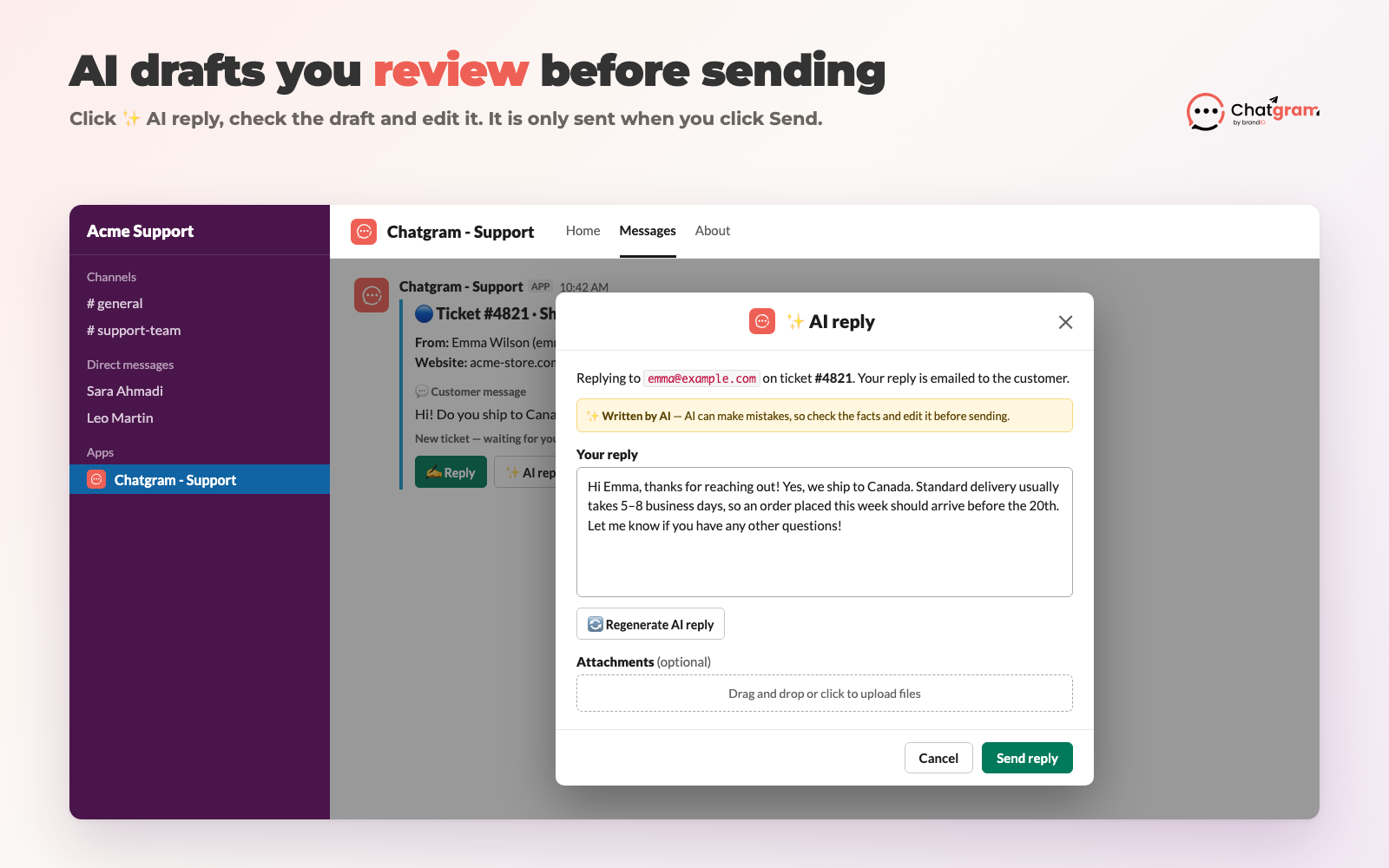
Click AI reply and Chatgram writes a draft from your website's knowledge base. The draft opens in an editor first, so you check and edit it before anything is sent.
Translate a visitor's message into your language with one click, and answer customers in 180+ languages.
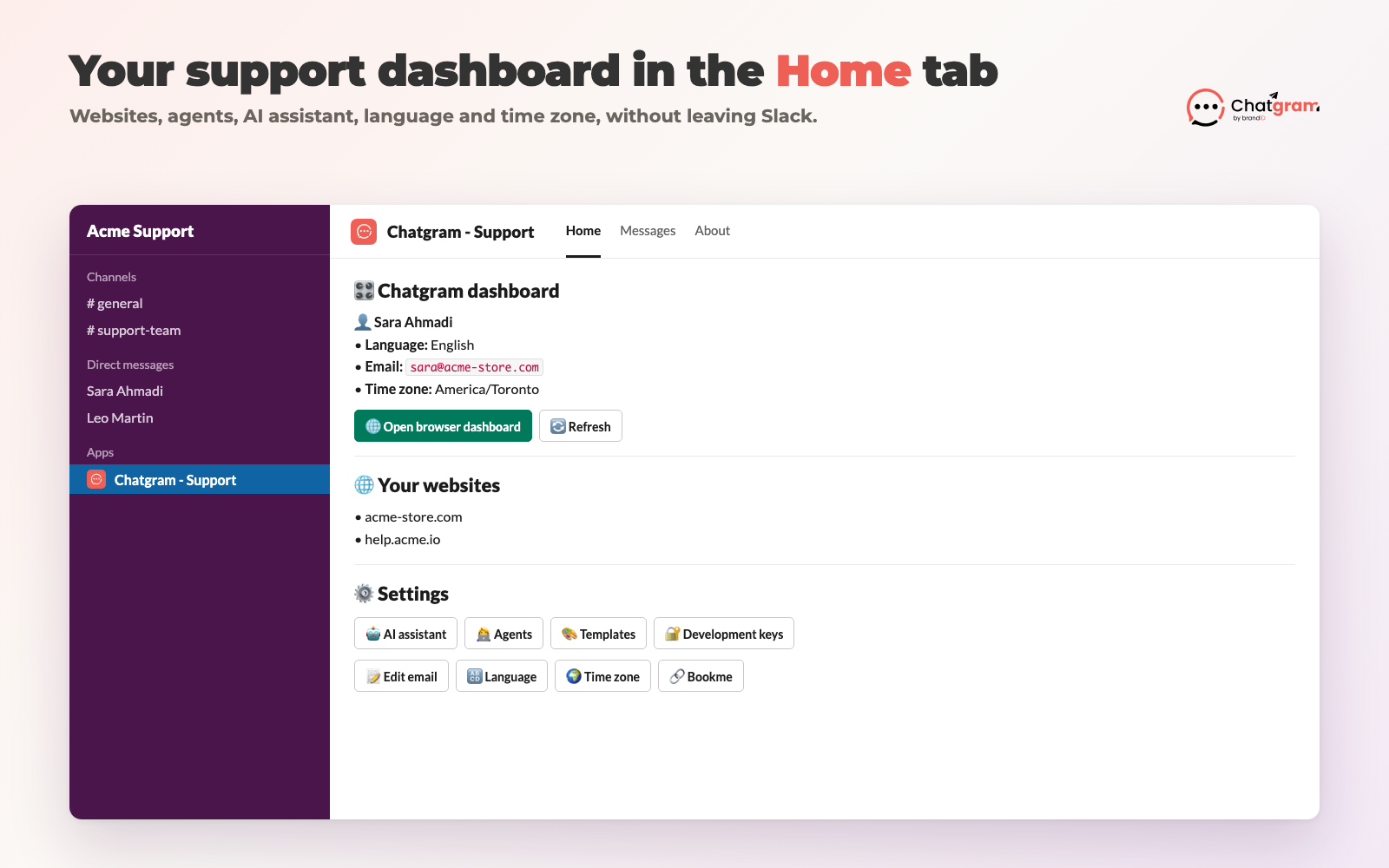
See your websites, manage agents and roles, set your language and time zone, and open the browser dashboard.
Tidy up from the ⋮ menu on each card. Spam and delete ask you to confirm first.


Chatgram uses large language models (provided by OpenAI) to draft replies, translate messages and, if you turn it on, answer website visitors automatically. AI output is generated automatically and may be inaccurate, incomplete, out of date or inappropriate, even when it sounds confident.
Message text is sent to the AI provider only to produce the draft, translation or answer you asked for. We don't use your Slack or customer data to train AI models. See the ນະໂຍບາຍຄວາມເປັນສ່ວນຕົວ for details.
The app only works in direct messages between the Chatgram - Support app and the people who connect their account. It does not read your channels.
| Scope | Why we need it |
|---|---|
chat:write | Send ticket cards and confirmations to you in the app's direct messages. |
im:write, im:read, im:history | Open the direct message with you and read the replies you type to the app there (for example, a reply to a ticket). |
users:read, users:read.email | Show your name and match your Slack profile email to your Chatgram account when you connect. |
files:read, files:write | Send files you attach to a reply to the customer, and show files customers attach to a ticket. |
commands | ທີ່ /chatgram command (connect, join, panel, help). |
reactions:write | Add a reaction to your message to show a reply was delivered. |
Read the full Chatgram for Slack privacy policy and the brandID privacy policy.
Questions, bugs or data requests? Email [email protected].
To uninstall: in Slack, open Apps → Chatgram - Support → About → Configuration and click Remove App. You can also type /chatgram unlink to disconnect just your own account.
Chatgram is made by brandID. See plans and pricing.
Install the app, connect your free Chatgram account, and your next website chat lands in Slack.
Add to Slack